
Written by Stephen Leahy · Last updated 30 September 2026
Quick answer: server-side tracking sends your analytics and advertising data through a server you control before it reaches tools like Google Analytics or ad platforms, instead of relying only on scripts running in the visitor’s browser. It gives you more control over what is shared and can make data more reliable, but it does not remove the need for consent.
Server-side tracking is one of the most talked-about ideas in analytics, and one of the most misunderstood. It is often sold as a way to “get around” cookie banners. It isn’t. This guide explains what it is, how it differs from ordinary tracking, what it can and can’t do, and when it is worth the effort. It builds on our guides to how much traffic your analytics misses and the tracking plan.
This is general information, not legal advice. Confirm your consent and privacy obligations with a qualified adviser.
What is server-side tracking?
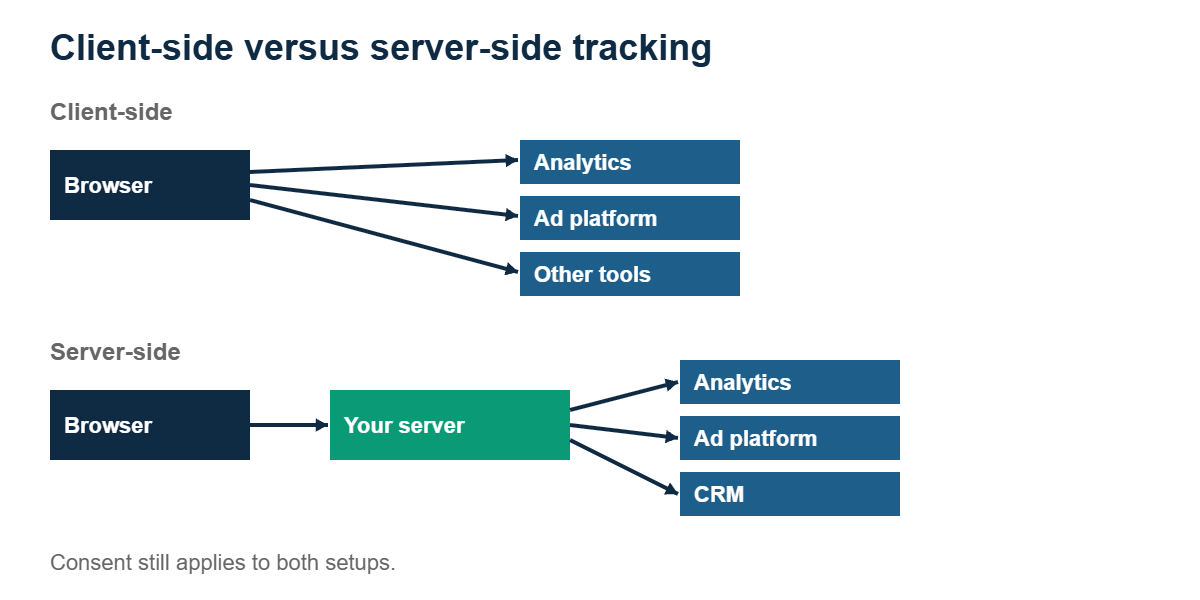
With ordinary, client-side tracking, scripts run in each visitor’s browser and send data straight to every tool you use: analytics, advertising platforms, and so on. Each tool places its own script on your site.
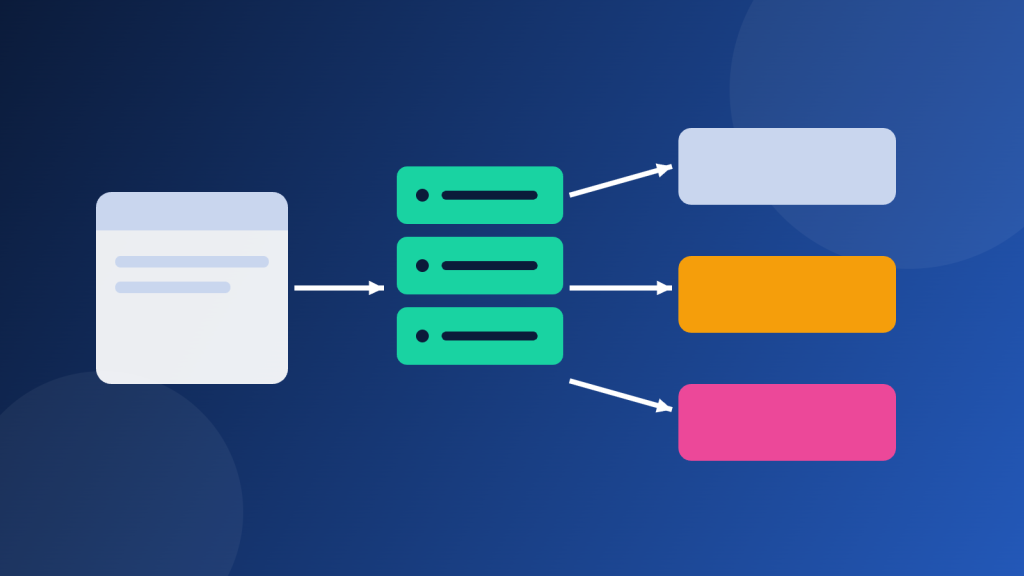
With server-side tracking, the browser sends data to a server you control first. That server then decides what to forward, and to whom. You still collect data in the browser, but the final hop to your vendors happens from your server.
Server-side tagging versus server-to-server tracking
People use these terms loosely, but they describe two different setups:
| Approach | How it works | Typical use |
|---|---|---|
| Server-side tagging | Events from the browser go to your tagging server, which forwards them to your tools. | Reducing the number of scripts on the page and controlling what data each vendor receives |
| Server-to-server tracking | Your own systems, such as a backend or CRM, send conversion events directly to a platform’s API, without the browser. | Sending real outcomes like qualified leads or sales back to analytics and ad platforms |
Many mature setups use both. Tagging servers manage the stream of website events, while server-to-server connections report what happens later in your internal systems.
What are the benefits of server-side tracking?
Where a company doesn’t allow server-to-server tracking, you have to get creative about following a user through each step of the funnel, all the way into your internal systems, so you still get a holistic view of performance over time.
- More control. You decide which data leaves your environment and which vendor gets it.
- Fewer scripts in the browser. This can help page speed and reduce reliance on third-party code.
- More reliable data in some cases. Some browser and blocker limits affect third-party scripts more than a server you run on your own domain.
- Better connection to real outcomes. Server-to-server events let you report offline results, such as a booked call or closed deal, back to your tools.
What server-side tracking does not do
- It doesn’t replace consent. If a visitor declines tracking, sending their data through a server doesn’t change that. Regulators focus on what you collect and why, not the route it takes.
- It isn’t free. Running a tagging server usually has hosting costs and needs ongoing maintenance.
- It isn’t simple. You need to plan events, identifiers, and testing carefully. Our tracking plan guide is the place to start.
- It won’t fix poor tracking design. Messy events sent through a server are still messy events.
Is server-side tracking right for your business?
It is usually worth considering if you rely heavily on paid advertising, you need to report back offline conversions, you have strict data control requirements, or page speed is a concern. For a small site with modest traffic, a well-designed client-side setup, a compliant consent banner, and good campaign tagging often deliver more value for far less effort. Start with the basics in our cookie banner checklist and our guide to UTM parameters.
How to get started with server-side tracking
- Write your tracking plan first. List the events, identifiers, and systems involved.
- Confirm consent handling. Decide how consent choices will control what your server sends.
- Start small. Move one tool or one conversion event across and compare the results.
- Test thoroughly, including with consent accepted and rejected.
- Document and monitor. Assign an owner and recheck after every site release.
Server-side tracking FAQ
What is server-side tracking in simple terms?
Instead of every tool receiving data directly from the visitor’s browser, the data goes to a server you control first. Your server then forwards it to your analytics and advertising tools.
Does server-side tracking get around cookie consent?
No. If consent is required for a type of tracking, it is still required when the data is sent through a server. Server-side setups should be designed to respect consent choices.
Is server-side tracking worth it for small businesses?
Often not at first. It adds cost and complexity, so most small sites get more value from a clean client-side setup, a compliant consent banner, and consistent campaign tagging. Consider it when you need more control or need to send offline results back to your tools.
What is the difference between server-side tagging and server-to-server tracking?
Server-side tagging routes browser events through your own server before they reach your tools. Server-to-server tracking sends events directly from your own systems, such as a CRM, to a platform’s API without involving the browser.
About the author: Stephen Leahy is a multi-award-winning digital marketing specialist with more than a decade of experience in SEO, GEO, and web analytics. Read his full profile.